
EDITIONS AND PRICES
Free to use. Professional when you need a longer memory.
Paul Bunyan Lite is free, with no trial period and no locked screens. Professional is a separate add-on, sold here on diamondsierra.com, for people who need more history, alerts, order trails and AI help.

TWO EDITIONS
Editions
Lite
FreeRecords everything. Every screen. Nothing locked, timed or switched off later.
- Fix first, PB codes and setup checks
- Plugins, Database, Messages and Background screens
- Logging functions for your own code, and WP-CLI
- 3 days of full detail, 7 days of summary
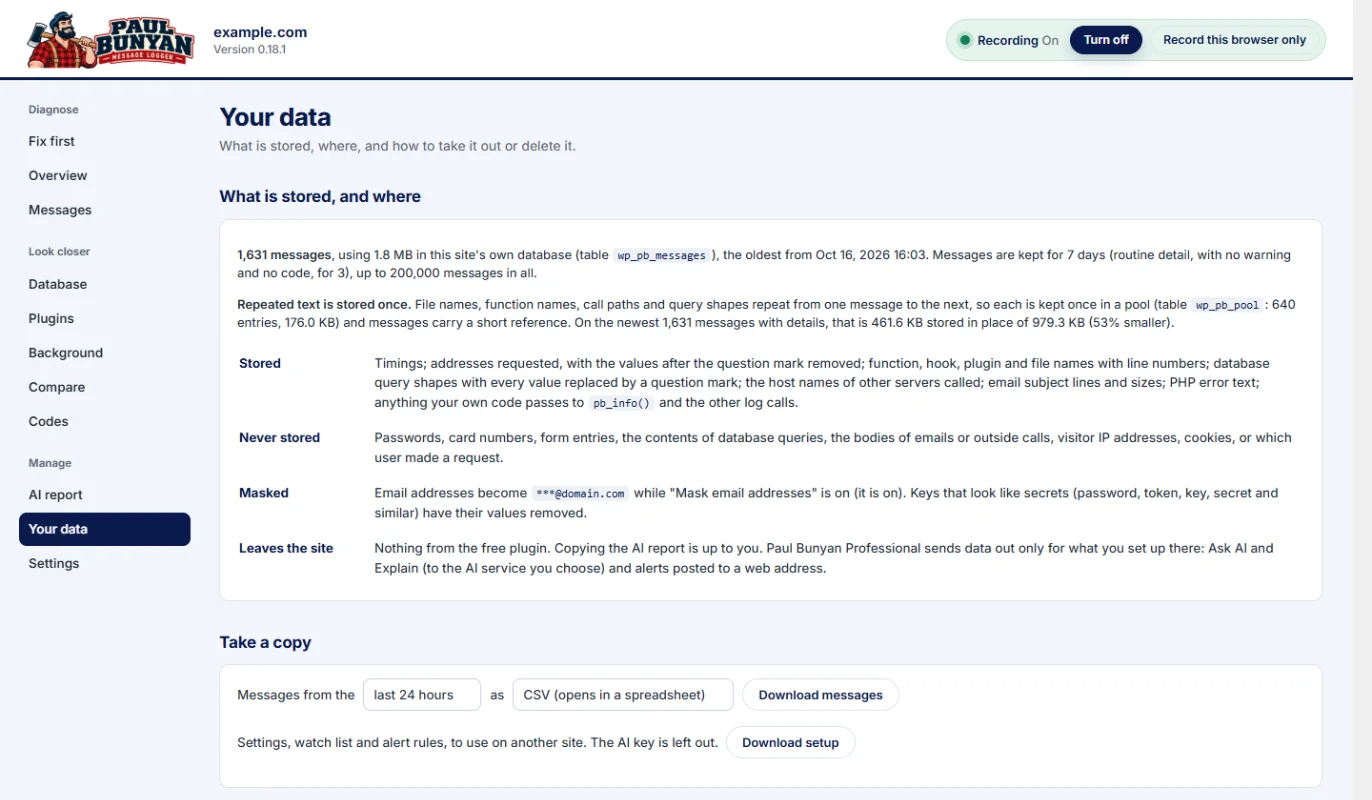
- AI report, export and delete your data
- Support on the WordPress.org forum
Professional
From $59/yrA separate add-on to Lite, for ongoing work and for stores.
- History of 30 days or 13 months
- Alerts by email or webhook
- "Got slower" detection after an update
- WooCommerce checkout steps and order trails
- Ask AI with the AI service you choose
- Support tickets, answered within 1 business day
Every feature, side by side
| Lite | Professional | |
|---|---|---|
| Price | Free | From $59 a year |
| Where to get it | WordPress.org | diamondsierra.com |
| Records requests, hooks, queries, outside calls, email, PHP errors, scheduled jobs, browser timing, Web Vitals, processor time and memory | Yes | Yes |
| Fix first list, PB codes and setup checks | Yes | Yes |
| Overview, Messages, Database, Plugins, Background, Compare and Codes screens | Yes | Yes |
| Logging functions and WP-CLI | Yes | Yes |
| On/off switch and safety switch | Yes | Yes |
| Export and delete your data | Yes | Yes |
| AI report to copy or download | Yes | Yes |
| Read-only abilities for AI assistants (WordPress 6.9+) | Yes | Yes |
| History | 3 days of full detail, 7 days of summary | 30 days or 13 months |
| Before-and-after markers | One at a time | Saved |
| “Got slower” detection | Yes | |
| Alerts by email or webhook | Yes | |
| WooCommerce order trails and business events | Yes | |
| Scheduled page checks | Yes | |
| Reports by email | Yes | |
| Live site against staging | Yes | |
| Requests running at the same moment | Yes | |
| Read-only role for clients | Yes | |
| Ask AI and “Explain this”, with the AI service you choose | Yes | |
| Support | WordPress.org forum | Support tickets, answered within 1 business day |
PROFESSIONAL
Professional prices
1 site
$59 a year
For your own site or one store.
10 sites
$149 a year
For freelancers and small teams.
50 sites
$299 a year
For agencies.
Prices are in US dollars. Each plan renews automatically once a year, and you can cancel any time; the license then runs to the end of the year you paid for. Move between 1, 10 and 50 sites whenever you like, and the same key gets the new number of sites. Staging and development copies of your sites are free and do not count.
QUESTIONS
Questions about the editions.
Why is there a free edition?
Because a debugging tool has to be on the site before the problem happens, and nobody buys one in advance. Lite is a complete live tool: it records everything and tells you what to fix. Professional pays for continued development and support.
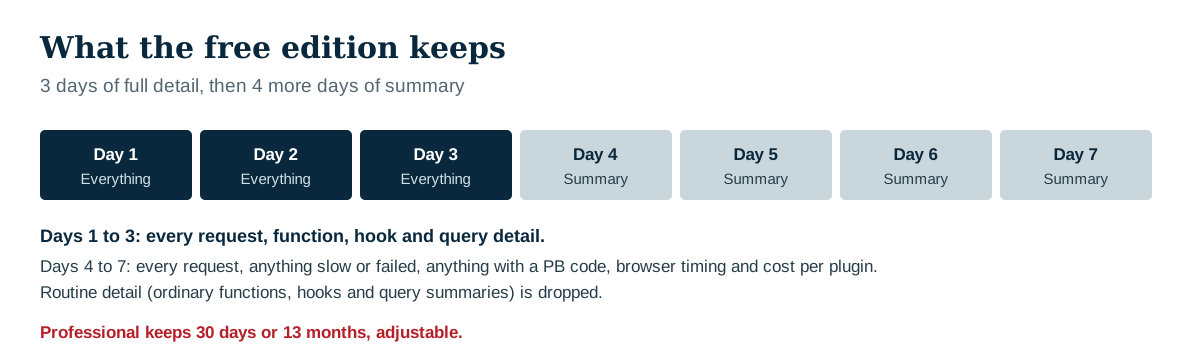
What does “3 days of detail, 7 days of summary” mean?
For 3 days, Lite keeps everything it recorded. From day 4 to day 7 it keeps every request, anything slow or failed, anything with a PB code, browser timing and cost per plugin, and drops the routine detail.
Will the free edition nag me to upgrade?
No. Nothing in Lite is locked, timed or switched off later.
Can I export my data from the free edition?
Yes. Export sits next to delete in both editions. It is your data.
Can I use AI with the free edition?
Yes. Copy or download the AI report and paste it into any assistant, or let an AI tool read the findings through WordPress’s abilities. Professional adds the Ask AI and “Explain this” buttons inside the dashboard.
What happens if my Professional license ends?
Professional keeps working, with every feature. A license brings updates and support; without one, updates stop until you renew. Your site never breaks because of licensing. See License keys, sites and renewals.
Can I pay monthly?
No. Professional is sold by the year only, which keeps the price low. One site costs less than an hour of a web developer’s time.
Do staging sites need their own license?
No. Staging and development copies, such as staging.yoursite.com, .local and .test addresses and host staging environments, are free.
How do I get Professional?
Buy a plan above. Your license key is in your order email and under My Account → Licenses. Install the Professional plugin beside the free Paul Bunyan, which it needs, and enter the key under Paul Bunyan → Professional. See Install Professional and enter your license key.
