
PAUL BUNYAN
Diamond Sierra Site Defense
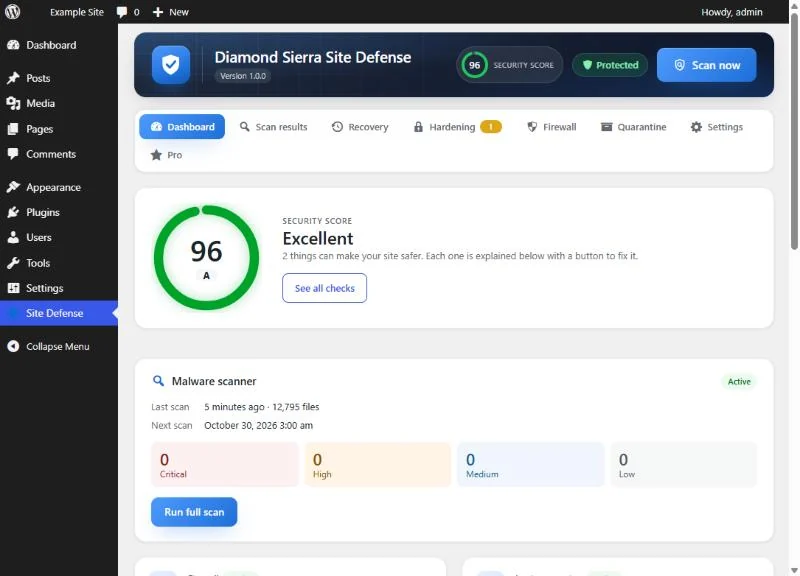
Diamond Sierra Site Defense checks your WordPress site once a day and tells you, in plain English, what is wrong and how to fix it. A daily malware scan of your files and your live homepage, a firewall and login protection are all in the free plugin, with no account to sign up for and no firewall rules held back for paying users.
Daily malware scan
- Every WordPress core file is compared with the official checksums from WordPress.org.
- Plugins and themes from the WordPress.org directory are compared with their official copies, so a tampered file (a supply-chain attack) is caught and verified files are skipped.
- A signature scan of themes, plugins, must-use plugins and uploads looks for web shells, obfuscated
eval()backdoors, droppers and hidden-admin code. - It catches ClickFix and fake CAPTCHA pages that trick visitors into running commands on their own computer, clipboard hijacking scripts, and loaders that pull code from blockchain smart contracts.
- Your homepage is fetched like a visitor arriving from Google, and again as Googlebot, to catch injections and SEO spam that hide from logged-in users.
- New and changed PHP files are tracked between scans.
- Risky plugin alerts with no setup and no API key: plugins removed from WordPress.org for a security issue, security updates waiting, and plugins abandoned for over two years.
- The scan runs in small steps, so it works on shared hosting without timeouts.
Fixes you can undo
- Restore a modified core, plugin or theme file with the verified original from WordPress.org.
- Quarantine a suspicious file; it can be restored from the Quarantine tab.
- A verification scan runs after every fix to confirm the malware is gone.
Firewall
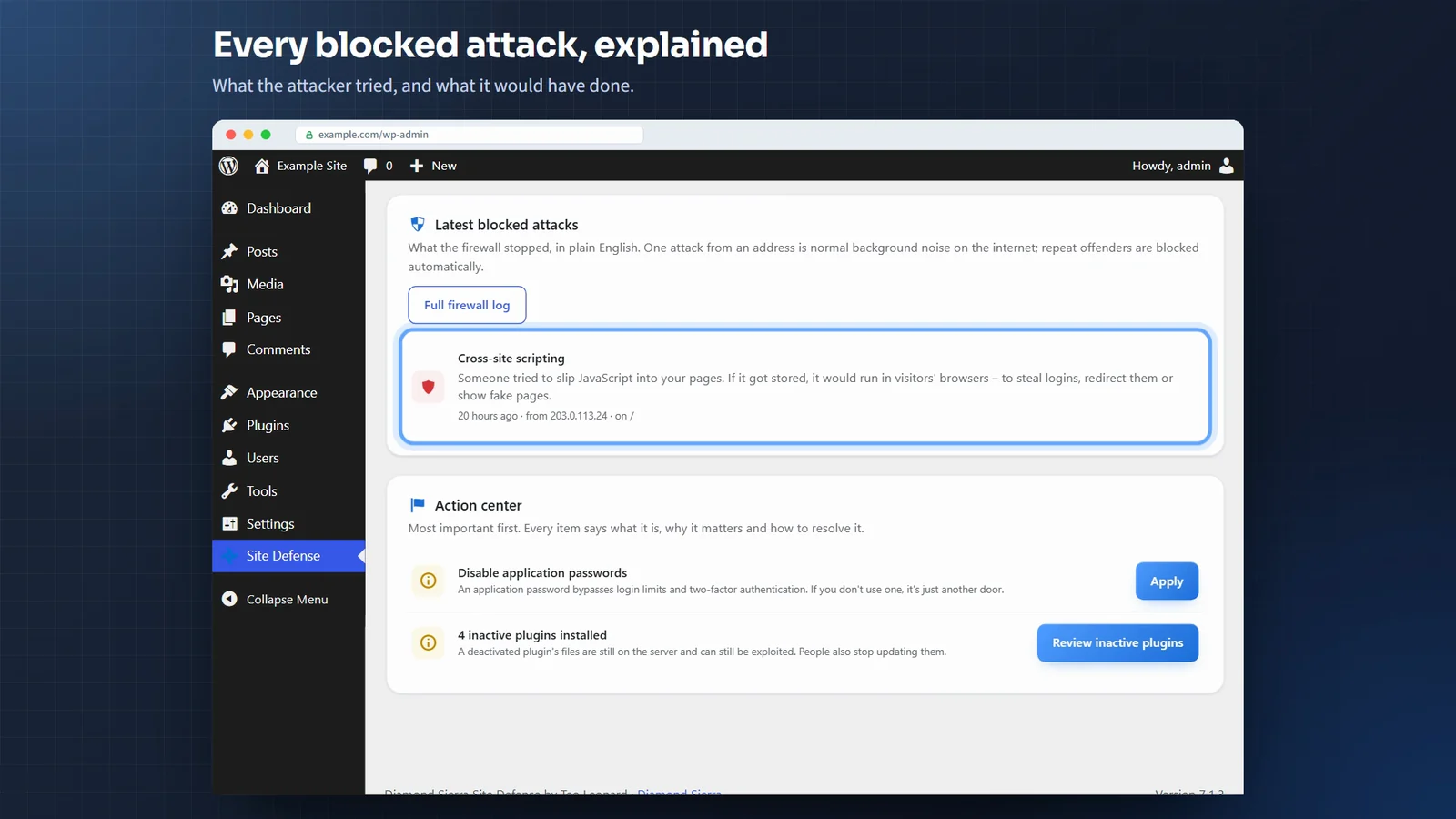
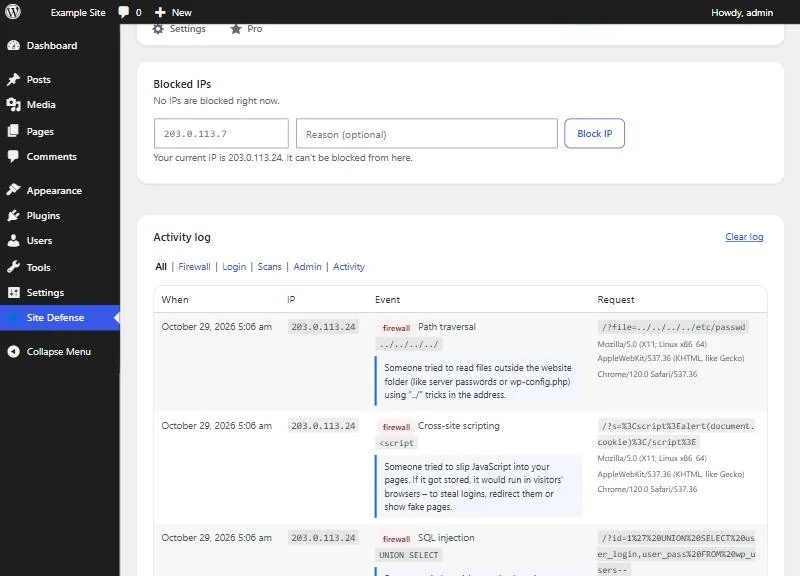
- Blocks SQL injection, cross-site scripting, path traversal, remote file inclusion, command injection and PHP object injection, in forms, cookies and JSON sent to the REST API.
- Blocks executable and disguised PHP uploads, and SVG files with scripts in them.
- Blocks vulnerability scanners and probes for
.env,.git,wp-configbackups and known shell names. Repeat offenders are blocked automatically. - New installs spend their first week in log-only mode, so you can see what would be blocked before anything is.
- It runs before the rest of WordPress loads, and logged-in administrators and editors are never filtered, so page builders keep working.
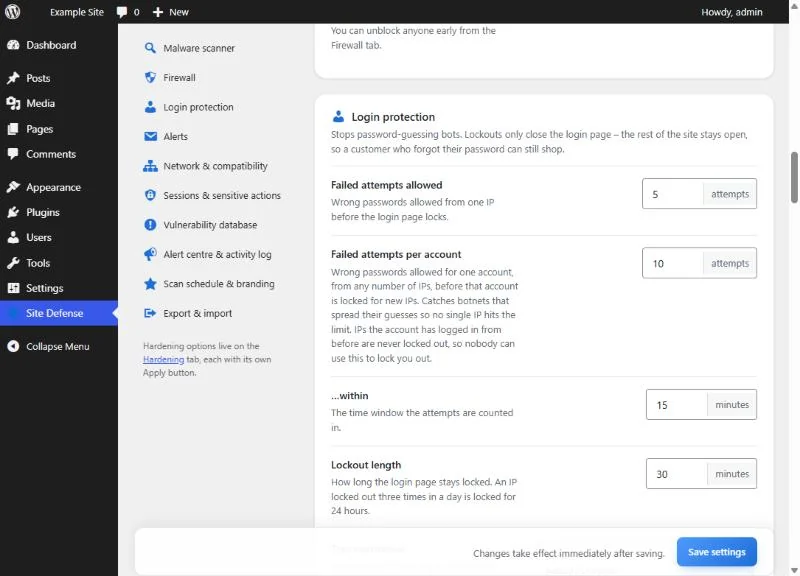
Login protection
- Two-factor login with any authenticator app, with one-time backup codes.
- CAPTCHA on the login, registration, lost-password and comment forms: a built-in math question with no account needed, Cloudflare Turnstile, Google reCAPTCHA v2 or hCaptcha. A CAPTCHA outage or a wrong key never locks you out.
- Passwords found in known data breaches are refused, using Have I Been Pwned; the password itself never leaves your site.
- A custom login address, a honeypot that stops login bots, and limits on failed logins per address and per account. Addresses an account has used before are never locked out.
Email alerts
- The scan found a serious problem, or an all-clear after every scan if you want one.
- An administrator signed in from a new address.
- A new administrator account was created, or someone was promoted to administrator.
- Diamond Sierra Site Defense itself was deactivated, which malware often does first.
Hardening
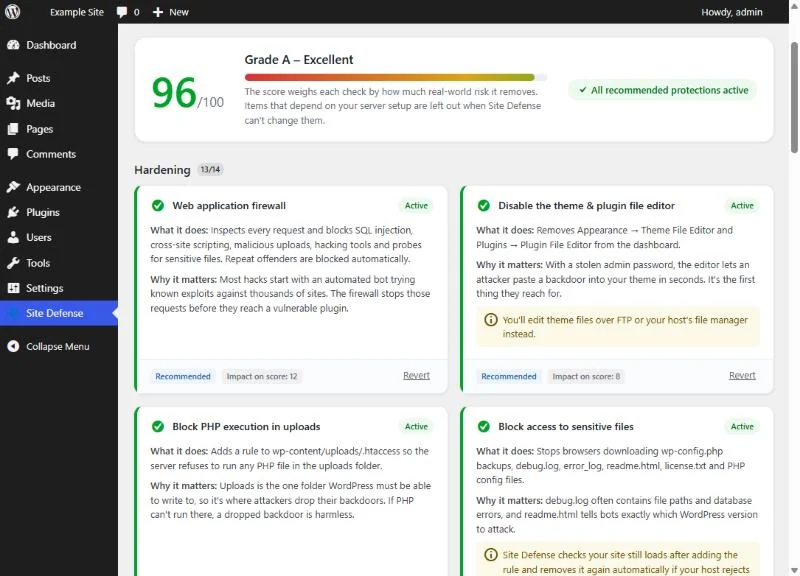
A security score explains every check, and each one has its own Apply button: turn off XML-RPC, the file editor, application passwords and username lookups; block PHP in uploads and directory listing; add security headers and hide version numbers.
Works with the security plugin you already have
Run only one firewall. When another security plugin is active, Diamond Sierra Site Defense pauses its own firewall and login limits, so the same visitor is not blocked twice, and keeps scanning. Results also appear under Tools › Site Health, and WP-CLI commands get you back in after a lockout: wp site-defense unblock, reset-login-url and 2fa-reset.
Get Diamond Sierra Site Defense
Diamond Sierra Site Defense is free on WordPress.org. To install it, go to Plugins › Add New in your dashboard and search for “Diamond Sierra Site Defense”. It needs WordPress 5.8 or later and PHP 7.4 or later, and on a multisite network it is network-activated to protect every site.
What it sends to other services
- WordPress.org: the names and versions of WordPress, your plugins and your themes, to fetch official checksums and clean copies of files. This is the same information WordPress sends when it checks for updates.
- Have I Been Pwned: only if you turn on breached-password blocking. The first 5 characters of the password’s SHA-1 hash are sent; the password and the rest of the hash never leave your site.
- Cloudflare Turnstile, Google reCAPTCHA or hCaptcha: only the one you choose, on the forms it protects.
- Google Safe Browsing: only if you turn on the blocklist check. Your site’s address is sent once per scan.