
WHAT CHANGED
Diamond Sierra Site Defense changelog
The free plugin is on WordPress.org. Pro versions are listed with the free release they came with. Newest first. How to use each feature is in the documentation.
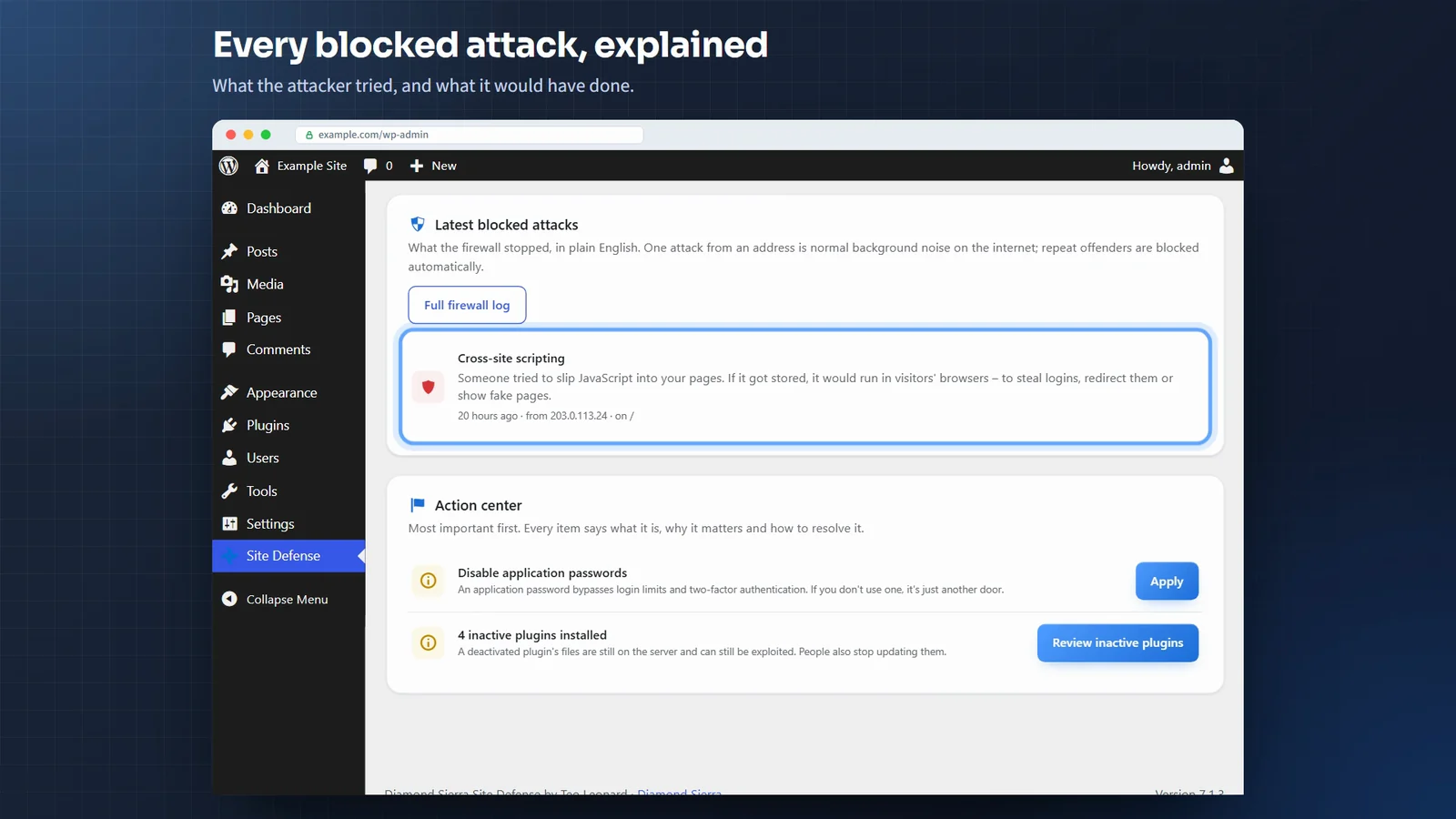
2.0.0, with Pro 2.0.0
The biggest update so far: everything you need to clean a hacked site is now a button in the free plugin, and the firewall can stop attacks before WordPress loads.
Scan results
- Delete file on every file finding. The file is removed from the site at once, and a copy is kept for 30 days on the Quarantine tab in case something needed it. Official WordPress, plugin and theme files can’t be deleted, only repaired.
- Repair puts back the verified copy from WordPress.org, View file shows the code with the matched lines marked (the database login and keys in
wp-config.phpstay hidden), and View differences compares a changed file with the official one. - Mark as fixed, for a finding you dealt with by hand.
- Remove tasks and Delete settings on findings for self-restoring malware, and Remove admin rights or Delete account on findings for fake administrators.
- A Tasks & hidden code tab: every scheduled task with the plugin behind it, and every must-use plugin and drop-in, with what the scan found in each.
- The scan reports copies of
wp-config.php, database dumps, site backups, error logs,.envand.gitleft in the website folder, and says whether anyone can download them. It also reports PHP errors shown to visitors with the server path. - The dashboard shows what changed since the previous scan: new issues by name, and how many were resolved.
Firewall
- Early firewall. One click puts the firewall in front of WordPress (in
.user.inior.htaccess, or at the top ofwp-config.phpwhere the server allows neither), so attacks on a vulnerable plugin are stopped before its code runs. Administrators and editors keep working in page builders. - The early firewall works next to another firewall that already runs before WordPress, such as Wordfence’s: Site Defense runs first, then hands over, so both keep working and there is nothing to edit by hand.
- A private unblock link on the Firewall tab. If your own address gets blocked, opening it removes the block and trusts that address for an hour. It gets nobody past a password or two-factor login.
- “Hide version numbers” also removes the PHP version header and the old Windows Live Writer and RSD links.
Pro 2.0.0
- Needs Diamond Sierra Site Defense 2.0.0 or newer. Update the free plugin first; until then Pro shows a notice and stays off.
- An AI security advisor on the dashboard. It reads a summary of the latest scan and lists what to fix first in plain words. You choose the service and model and use your own key: Claude (the default), OpenAI, Google Gemini, Grok, Perplexity, OpenRouter or Groq. Gemini, OpenRouter and Groq have free options.
- The vulnerability check needs no API key and nothing to set up, and findings get the CVE’s severity. The Wordfence and WPScan key settings are gone.
- Bulk actions on the scan results, with Repair all and Delete all for high-risk and critical malware findings.
- An emergency lockdown, a comeback detector for deleted files, and a printable cleanup report on the Recovery tab.
- Country blocking for the whole site or only for logging in, and a Live traffic tab with each visitor’s country.
- A security header editor with a Content Security Policy that starts in report-only mode.
- An hourly homepage defacement check (on by default), and three options that start off: an email to account owners when their password is being guessed, nightly removal of leftover backups and logs, and approval by email for new administrators.
- Required two-factor login can have a grace period, be limited to app or email codes, and show your own message.
- The scheduled-task list moved to the free plugin’s Tasks & hidden code tab.
1.2.1
- Email two-factor codes can go to your account email, the site admin email (administrators only) or another address you choose. A new address only counts once a code sent to it has been typed back.
- “Change where codes go” on your profile page. Moving the codes needs a code from the current address first, and the old address gets an email saying they moved.
- Backup codes are shown as a numbered list with Copy and Download buttons.
1.2.0, with Pro 1.1.1
Lessons from cleaning a WooCommerce shop with malware that kept reinstalling itself.
Hacked sites
- Accounts are checked for what they can do, not what their role is called. A “customer” with administrator powers is reported as critical, and so are administrators with the machine-made names known malware uses.
- Plugins that aren’t on WordPress.org are listed, and reported as critical when they also show signs of malware: obfuscated code, creating administrators, hiding from the Plugins screen, a “security helper” from an unknown personal domain, or a known fake plugin name.
- Malware that reinstalls itself is detected: code that turns a plugin back on when you turn it off, restores itself from a zip or a private GitHub repository, or drops must-use plugins. Known watchdog files and folders are reported too, including renamed copies of the plugins folder.
- The settings and scheduled tasks such malware keeps in the database are reported, so they can be removed together with the files.
- Hostile
.htaccessfiles are reported: a root file that blocks PHP but lets the attacker’s own files run, a wp-admin file that locks you out of the dashboard, mixed-case “php” tricks and uploads rules that let PHP run. - Disguised scripts built the way card skimmers hide, and links hidden from visitors with screen-reader-text.
- Signatures for the 2025 and 2026 campaigns published by GoDaddy, Patchstack and Sansec: DollyWay, the Help TDS fake plugin, the Steam profile injector, the fake WooCommerce security patch, the Gravity Forms, EssentialPlugin, Smart Slider 3 Pro and OptinMonster supply-chain backdoors, WP Smart Thumbnails, the stolen UpdraftCentral key backdoors, the FunnelKit checkout skimmer and the SocGholish loader.
Firewall and logins
- Rate limiting, with separate limits for browsers and bots, and a choice between slowing down and blocking.
- Bad bot blocking (site copiers, email harvesters, scraping frameworks, form posts with no browser headers) and optional SEO crawler blocking.
- The fake search engine check uses the crawler address lists Google, Bing and Apple publish, so it still works when the server’s DNS doesn’t answer.
- Your own block list for IP ranges, user agents, referring sites and hostnames, under Settings, Access rules.
- A login allowlist for administrators, editors and shop managers, with a
wp-config.phpescape hatch. - An optional REST API lock for logged-out visitors, with the routes front-end features need left open.
- Strong passwords for powerful accounts, and trap usernames can no longer be registered.
- A comment spam bot check without a CAPTCHA. On themes and page builders that print their own comment form, it stays out of the way instead of marking real comments as spam.
- Two-factor login by email code, for people without an authenticator app.
- A file permissions check on the Hardening tab, with a one-click fix that only takes away write access for others.
- Requests the site makes to itself (cron, Site Health, plugins fetching their own pages) are never blocked.
Emails
- One security email a week by default, instead of an email after every scan. Anything fixed before Monday is left out. Daily, or straight away as before, can be chosen under Settings, Alerts. A new administrator and Site Defense being switched off are still emailed straight away.
- No new-address login email while Wordfence is active and already emails every administrator login.
- A file that several checks match is listed once.
Fixes
- The custom login address showed “Active” even when
wp-config.phpturned it off. After saving one, Site Defense now asks the site for it the way a visitor would, and checks again every day. - “Block PHP execution in uploads” said it was active when the file couldn’t be written. It now says why, tests the rule with a harmless file, and tells you when the server doesn’t enforce it. An alert is sent when the rule is removed or edited.
- Findings for plugins not from WordPress.org had an Update button with nothing to update. It is now “Go to Plugins”.
Pro 1.1.1
- Recover from a hack on the Recovery tab: automatic, reversible removal of self-restoring malware, then your choice of fake admins, fake plugins, extra core files, PHP in uploads, injected content and new security keys. It checks afterwards whether anything came back, and starts a 14-day recovery watch with two scans a day and instant emails.
- Remove admin rights and Delete account buttons for the new account findings.
- Pro alerts go into the free plugin’s weekly security email by default. Instant, hourly and daily delivery are still there.
- Users who get their two-factor codes by email confirm sensitive actions with their password.
- The database scan also looks for links hidden from visitors and the markers of the CSC malware family.
1.1.1
- Calmer scan emails: a scan only emails findings it hasn’t emailed before.
- Scans you start yourself no longer send an email, because you are already looking at the results.
- Updates waiting, known vulnerabilities and closed plugins are emailed as things to do, apart from findings that could point to a break-in.
1.1.0, with Pro 1.1.0
- Alert emails in clean HTML, with a plain-text copy, the details in a table and a button to the right screen.
- Fake search engine blocking, 404 probing protection, and optional AI training crawler blocking.
- An email when updates are waiting, and an optional email for login lockouts.
- Official old jQuery files are no longer reported as injected code.
Pro 1.1.0
- Shop protection for WooCommerce: a card-testing shield, an order attempt limit, Store API rate limiting and throwaway email blocking.
- CAPTCHA on the WooCommerce block checkout.
- AI bots can be chosen one by one.
1.0.0, with Pro 1.0.0
- First release.