
On this page
Paul Bunyan installs like any other WordPress plugin and starts recording straight away. It needs WordPress 6.0 or later and PHP 7.4 or later, and nothing on the server beyond that.
Install the plugin
- In your WordPress dashboard, go to Plugins → Add New.
- Search for Paul Bunyan.
- Press Install Now, then Activate.
Paul Bunyan is free from the WordPress.org plugin directory. Install it there, not from a copy passed around, so you get updates.
Let the site run
The first time you open Paul Bunyan, it profiles your home page as a logged-out visitor, so the first screen already has something on it. After that it records requests as they happen, so it needs some traffic to look at. Browse a few pages yourself, including any slow ones: the dashboard, the checkout, a heavy page. Or leave it running for a day and let real visitors do the work.
Open Fix first
Go to Paul Bunyan in the admin menu. The first screen is Fix first: one list of what costs your site the most, ranked by total time. Each row has a PB code, what the problem is, where it is, how often it happened, the time involved, what it means and what to do.
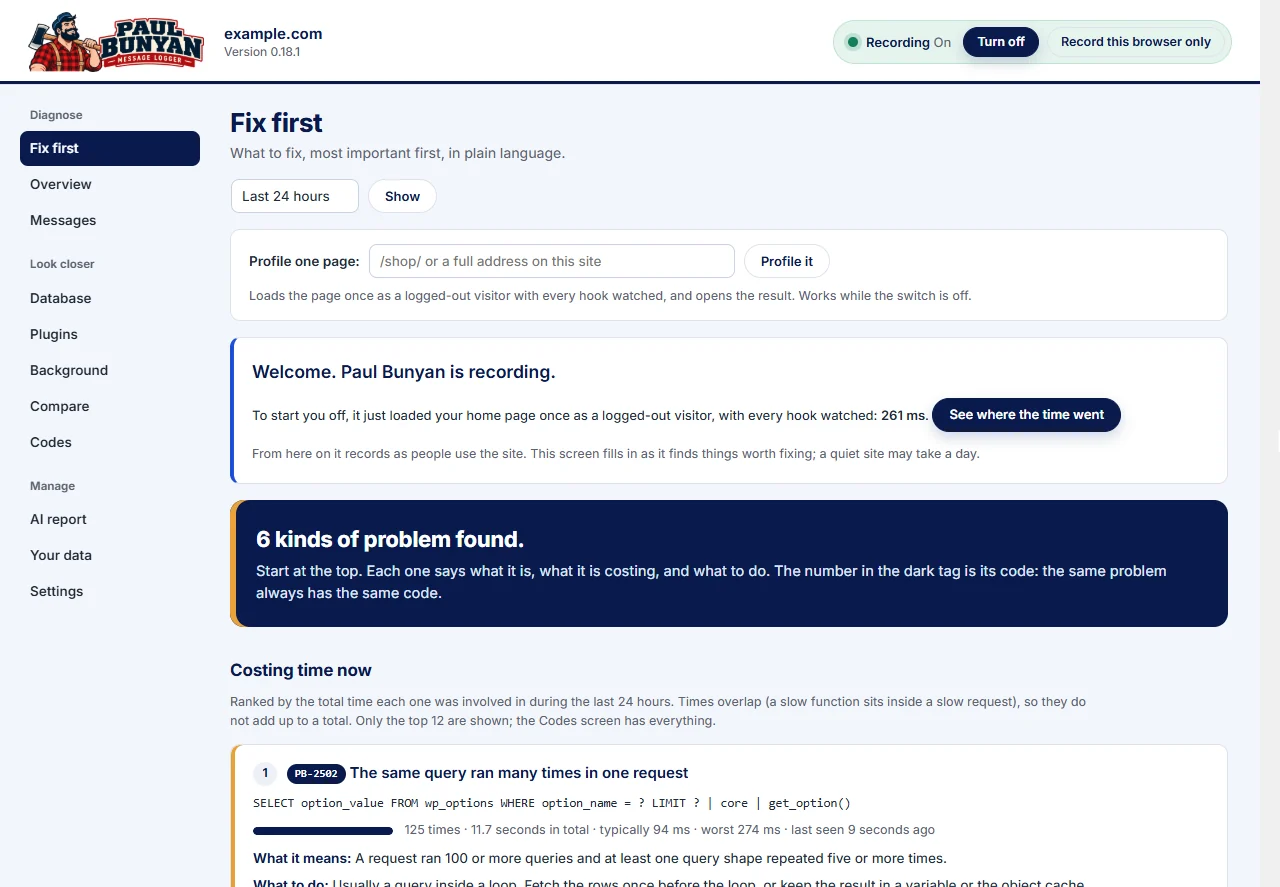
Start at the top. Click the PB code on any row to read its full explanation, or see the PB code reference. Then read How to read a finding.
The header of every Paul Bunyan screen shows whether it is recording, with the switch beside it. See Turn recording on and off.
Optional: time each plugin's load
Copy mu-loader/paul-bunyan-loader.php from the plugin folder into wp-content/mu-plugins/. This makes Paul Bunyan start before every other plugin, so it can time how long each one takes to load. Without it, the Plugins screen still shows what each plugin costs while running.
What it costs your site
Paul Bunyan measures its own cost and shows it on the Overview screen. On our test sites an ordinary traced request cost about 10 to 20 ms. A small share of requests, 5% by default, run in discovery mode, which watches every hook to find new slow ones and costs more. You can lower that share, or the share of requests traced, in Settings.