
On this page
"Past-due actions found; something may be wrong" means jobs in Action Scheduler, the background queue used by WooCommerce and many other plugins, were due to run and have not. The queue is usually not broken: it is not being started often enough, or one job keeps failing or running too long and holds up the rest. The fix is to find which, and not to delete the jobs.
What is Action Scheduler?
Action Scheduler is a job queue that plugins share. WooCommerce uses it for things such as subscription renewals, webhooks and data updates, and many other plugins (email marketing, backups, imports) use it for their own work. Each job is an "action": a hook name, its arguments, the time it is due, and a status.
You can see the queue under Tools > Scheduled Actions, or WooCommerce > Status > Scheduled Actions on a store.
| Status | Meaning |
|---|---|
| Pending | Waiting to run. Past-due if its scheduled time has passed. |
| In-progress | Started and not yet finished. |
| Complete | Ran without an error. |
| Failed | Ran and threw an error, or was stopped part-way. |
| Canceled | Removed before it ran. |
Why do actions become past-due?
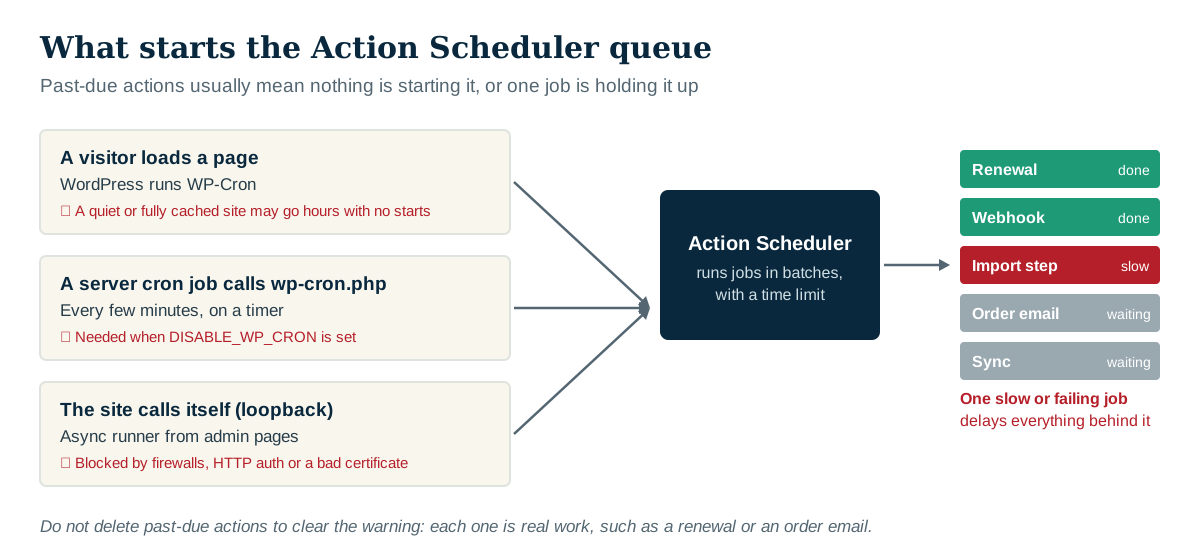
Nothing starts the queue. Action Scheduler is started by WP-Cron, and WP-Cron only runs when someone visits the site. A quiet site, or one where every visit is served from a page cache, may go hours without starting it. If DISABLE_WP_CRON is set in wp-config.php, a real server cron job must call wp-cron.php instead, and sometimes nobody set one up.
Loopback requests are blocked. The queue also starts itself by calling the site from the server. A firewall, security plugin, HTTP authentication on a staging site, or a broken SSL certificate can block those calls. Site Health (Tools > Site Health) reports when loopback requests fail.
One job is too slow or keeps failing. The queue runs jobs in batches with a time limit. A job that times out, crashes, or waits a long time on another service eats the batch, and everything behind it waits.
Far more jobs than the queue can clear. An import, a big newsletter or a plugin that schedules the same job on every page load can add jobs faster than they run.
How to check what is wrong
- Open Scheduled Actions and filter by Pending. Are all the past-due jobs from one hook, or every kind? One hook points at that plugin. Every kind points at the runner.
- Look at Failed. Open the log on a failed action: the error message usually names the problem.
- Check In-progress. Actions stuck in progress for hours were cut off part-way, often by a PHP time or memory limit.
- Check WP-Cron. If ordinary WordPress scheduled jobs are late too, the problem is that nothing is starting the queue.
- Check loopback requests in Site Health.
Write down what you found before you change anything.
How to fix it
- If nothing starts the queue, have the server call wp-cron.php every few minutes with a real cron job (most hosts have a cron screen in their control panel), and set
DISABLE_WP_CRONto true so visits stop trying to do it as well. If WP-CLI is available,wp action-scheduler runruns the queue by hand, which is a good way to test. - If loopback requests fail, fix what blocks them: the firewall rule, the security plugin setting, or the certificate.
- If one hook keeps failing, update the plugin that owns it, read the error, and report it to the author with the log.
- If one hook is slow, find out what it waits on. A job calling another service that is slow or down can hold the whole queue.
- If one job is scheduled thousands of times, the plugin is scheduling it without checking first. Clean up the duplicates and report it.
Should I delete past-due actions?
Not without knowing what they are. A pending action can be a subscription renewal, an order email, a webhook to an accounting system or a step in an import. Deleting it means it never happens. Canceling a few thousand duplicates of one harmless job is fine; clearing the whole queue to make the notice go away can lose real business.
Completed and canceled actions are different: Action Scheduler removes old ones itself after about a month, and a very large history table can be trimmed safely.
How to know it is fixed
The notice going away is not proof. Check that new actions run close to their scheduled time, that failed actions stop appearing for that hook, and that the work they do actually happened: the renewal charged, the email arrived, the sync reached the other system.
How Paul Bunyan helps
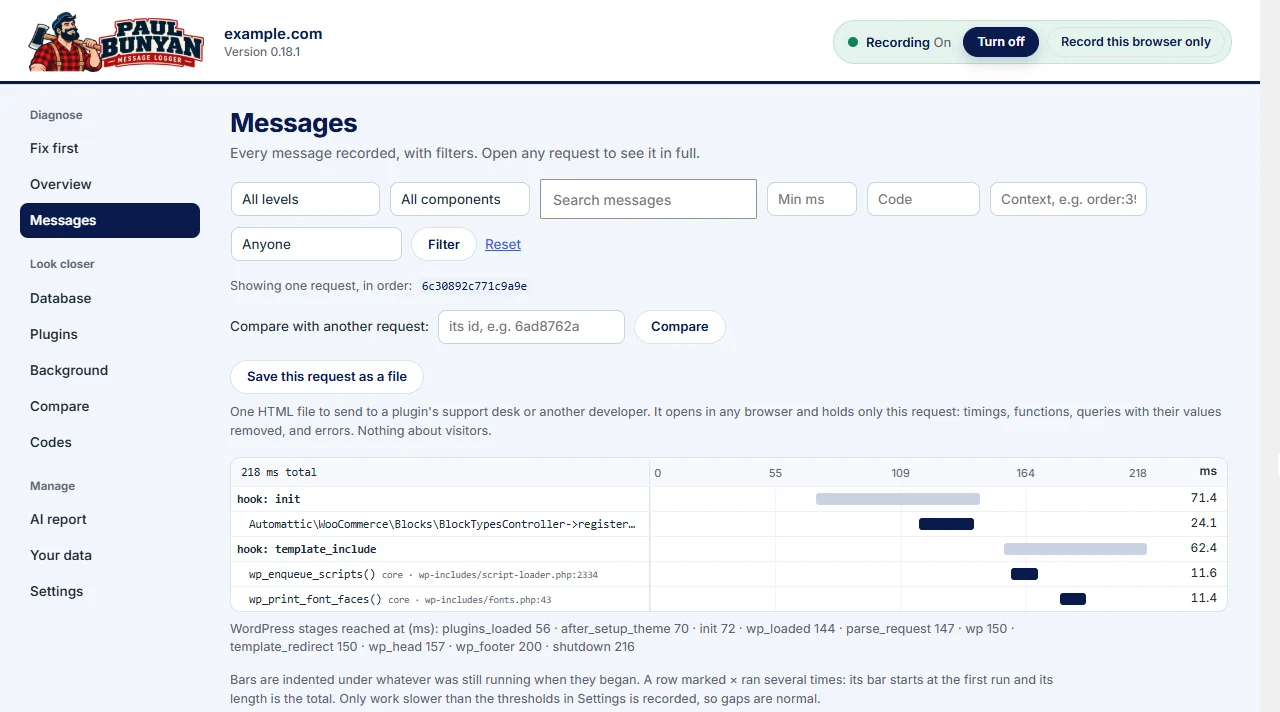
Paul Bunyan times every Action Scheduler job it sees run, with the functions it ran, the queries and the outside calls, and lists them on the Background screen. A slow job is flagged as PB-2701 and a failed one as PB-2702, with the error text. Setup checks catch the causes upstream: WordPress scheduled jobs running late (PB-3004), the same job scheduled many times (PB-3005), and jobs left behind by removed plugins (PB-2703).
